
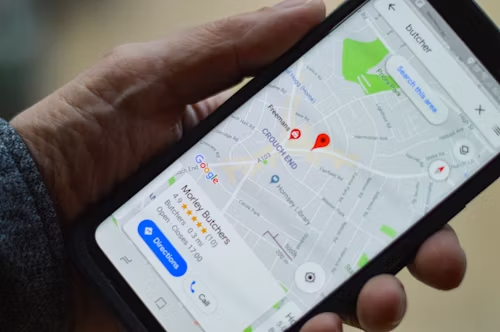
What is Google Business Profile?
Google Business Profile (GBP) is a free tool that helps local businesses be found easily on Google Search and Maps. It shows key info like business name, address, phone number, hours, and photos. Using it well can bring more customers through local searches.
How to Use Google Business Profile Effectively?
Keep Your Business Info Correct and Complete. Make sure your business name, address, and contact details are correct. Add working hours and keep them updated. This builds trust and helps Google show your business to local customers who need your products or services.
Add Engaging Photos and Videos
Upload clear images and videos of your business, products, or team. Photos help customers see what you offer and make your profile stand out. Businesses with photos get more visits and interactions.
Collect and Respond to Reviews
Ask happy customers to leave reviews on your profile. Always reply to reviews politely. Positive reviews and replies show you care and boost your business reputation online.
Use Relevant Categories and Keywords
Select the right business categories so Google knows what you do. Use simple, local keywords in your business description to improve your search ranking.
Conclusion
Using Google Business Profile correctly can help your local business develop and make it easier for clients to locate you. To achieve the best results, stay active, keep your information up to date, upload images, and respond to reviews.


3 comments
Pingback:
How to Fix Common Technical SEO Problems for Local Businesses - LOBAISEOPingback:
Make Your Google Business Profile a Customer Lure | LOBAISEO - LOBAISEOPingback:
Winning Local SEO with Zero-Click Searches | LOBAISEO - LOBAISEO